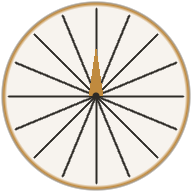
Upload your floor plan, pin your home on satellite, and get a wall-aligned 16-zone Vastu map in minutes — no compass app, no consultant, no guesswork.
Satellite-verified accuracy · No expertise needed
— SIMPLE PROCESS —
How it works
Five guided steps. Satellite imagery does the precision work, so you don't have to.
📂
01
Upload Your Floor Plan
Snap a photo of your floor plan or upload an existing image. Any clear photo or PDF screenshot works — no special format needed.
Tip: A sharper, well-lit photo gives a more accurate result.
✏️
02
Trace Your Home's Boundary
Tap each corner of your home on the floor plan to outline its outer walls. Double-tap (or tap the first point again) to close the shape. We use this outline to find your home's geometric centre — the Brahmasthan.
Tip: Pinch to zoom in for tight corners, drag to pan around.
🧭
03
Mark Approximate North
Tap once on the floor plan, roughly in the direction you think North is. It doesn't need to be exact — the location step will automatically find correct North.
Tip: Don't stress over precision. A rough tap is enough.
📍
04
Pin on Satellite & Trace a Wall
Drop a pin on your building (use GPS, paste a Google Maps / WhatsApp location link, or type an address). Then tap the two ends of any one wall on the satellite view. This is what makes the grid truly wall-aligned.
Tip: Pick any wall you can see clearly.
◎
05
Place Your Vastu Grid & Download
The grid auto-aligns to the wall you traced. Tap Place Vastu Grid to drop all 16 Vastu zones, 32 padas, and the precise Brahmasthan onto your plan. Download as JPG and keep it forever.
Tip: Share the map with your family, architect, or Vastu consultant.
🛰
Why this is more accurate than apps that ask you to face North.
Most Vastu tools rely on you holding a phone toward "magnetic North" — which can be off by 5–15° thanks to local interference, building rebar, or your phone's compass calibration. We do it differently: we anchor the grid to a real wall of your building, traced on a satellite image you can see with your own eyes. The result is a grid that's locked to your home's actual geometry, not a noisy compass reading.
— YOUR INSIGHTS —
What You'll Discover
About Your Property
▣
Where Each Zone Falls
See exactly which of the 16 Vastu zones fall where in your property.
◉
Your Brahmasthan (Energy Centre)
Identify the geometric centre of your property — the sacred Brahmasthan.
🏠
True Location of Every Room
Understand the exact zone of your bedroom, kitchen, washrooms and entrance for an accurate, room-by-room Vastu reading.
▦
32 Pada Sub-Zones Reference
Access the complete 32 Pada reference table for advanced Vastu analysis.
— SIMPLE PRICING —
Simple, Transparent Pricing
₹149
per 16 directions grid
Full 16-zone Vastu grid overlay
All 32 Pada sub-zones clearly labeled
Wall-aligned grid via satellite verification
Precise Brahmasthan (geometric centre) marked
No compass app or expertise required
High-resolution downloadable JPG
Guided, step-by-step in-app flow
💬
Need a Deeper Analysis?
The Vastu Zone Mapper gives you the map. For personalised remedies, element placements, and room-by-room guidance, book a 1:1 consultation with Anchal at Vastu by Anchal — a trusted Vastu practitioner with 4+ years of dedicated practice, trained under the legendary Dr. Kushdeep Bansal ji and Acharya Pankit Goyal ji.
Vastu Zone Mapper is a directional tool designed to give you a helpful starting point for understanding your property's Vastu zones. Results are indicative and based on the boundary and North direction you provide. For a comprehensive, accurate Vastu consultation tailored to your specific needs, we strongly recommend reaching out to Anchal at Vastu by Anchal.
Vastu Zone Mapper
Welcome to Vastu Zone Mapper
Enter your phone number to get started
☎+91
We'll use this to save your analysis
🔒 Secure🔓 Private🚫 No spam
Pay only when you download your Vastu map. No hidden charges.
New here? Create a free account — pay only when you analyse.
Vastu Zone Mapper
→→→
Step 1 of 5
Trace Boundary
✏️
Trace your house outline
Tap each corner along your outer walls — we’ll trace the boundary automatically. To finish, tap the first corner again.
Upload Your Floor Plan
Click to select a JPG or PNG image
Pinch to zoom · drag to pan
1
Upload Your Floor Plan
Upload a clear JPG or PNG image of your property's floor plan to get started.
2
Trace Property Boundary
Click on the floor plan to outline the outer walls of your property.
3
Compass & Auto-Refine
Enter your phone's compass reading at the entrance — satellite data auto-detects your true North.
4
View Vastu Map
Your 16-zone Vastu grid with 32 padas is now overlaid on the floor plan.
Mark approximate North
On the floor plan above, tap once at the approximate position of North.
It doesn’t need to be exact — the location step will automatically
find correct North. You can re-tap to adjust.
◎Tap once on the floor plan to mark approximate North.
Where is your property?
We use this to look up the building on satellite maps so the grid
lines up with your real walls. Choose one:
Pick the right one — or refine your search and try again:
Satellite check
We’ll match your North marker with the building’s actual walls
from satellite map data.
Snaps your North to the nearest building wall direction.
✓ Grid locked to your wall
Wall bearing—
Instructions
Upload a floor plan image to begin.
💡 Tip:A clearer photo gives a better result.
Info
Centroid: —
North Angle: —
32 Pada Reference
▶
🔒
Unlock Your Vastu Analysis
Complete a one-time payment to unlock the full 16-zone Vastu grid for this floor plan.